
Updated July 2026 · Links checked July 2026.
What an optical input can — and cannot — do. An optical (Toslink/S-PDIF) port is the right choice for any TV without HDMI ARC, and it sidesteps HDCP handshakes and ground-loop hum. It carries stereo PCM and compressed 5.1 surround (Dolby Digital and DTS), which covers the vast majority of TV, cable and disc audio. What it cannot carry is the newer lossless and object-based formats — Dolby Atmos and DTS:HD — which need HDMI eARC. If you do not own Atmos sources, you lose nothing by using optical.
Plenty of TVs — older sets, budget models, and many in bedrooms and kitchens — either lack HDMI ARC or handle it badly. An optical input is the fix: one cable, no handshake drama, and it is included in the box with every soundbar below. The catch is that not every modern bar still has an optical port, so the list matters.
We focused on soundbars that (1) actually have a working optical input, (2) have thousands of verified owner ratings, and (3) span real price tiers from a compact desktop bar to a movie-ready 2.1 system. Every pick here was checked for an optical port before it made the cut.
Top picks at a glance
- Best for most people: the Polk Signa S2 — bar + wireless sub, ~22k ratings.
- Best for movies: the Sony HT-S400 — powerful sub, 330W.
- Cheapest real upgrade: the Sony HT-S100F.
| Soundbar | Setup | Owner rating | Best for |
|---|---|---|---|
| Polk Audio Signa S2 | 2.1 + wireless sub | ★ 4.4 (21,896) | Most people |
| Sony HT-S400 | 2.1, 330W | ★ 4.3 (2,295) | Movies & bass |
| Bose TV Speaker | 2.0 compact | ★ 4.3 (14,020) | Dialogue & small rooms |
| Samsung HW-B450 | 2.1 + sub | ★ 4.3 (1,149) | Budget 2.1 & gaming |
| Sony HT-S100F | 2.0 compact | ★ 4.2 (8,893) | Cheapest upgrade |
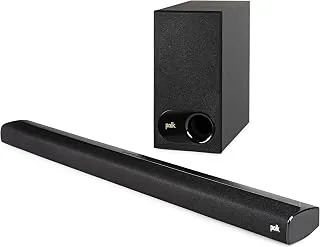
1. Polk Audio Signa S2 — Best overall
The Signa S2 is the soundbar most people should buy: a slim bar plus a wireless subwoofer, a real optical input (cable included), and Polk’s VoiceAdjust to push dialogue forward. With nearly 22,000 ratings at 4.4 stars it is the most-proven pick here, and it sounds far bigger than its price suggests. The catch: Not a true surround system, and no Dolby Atmos (optical cannot carry it anyway).
Verdict — Buy it: the default choice for clearer TV sound with proper bass.
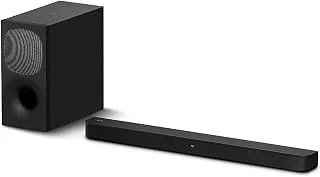
2. Sony HT-S400 — Best for movies
The HT-S400 pairs a 2.1 bar with a powerful wireless subwoofer (160mm driver, 330W total) and Sony’s S-Force PRO front surround, so action scenes hit harder than the slim bars here. It takes optical or HDMI ARC, decoding Dolby Digital cleanly over either. The catch: Bigger subwoofer needs floor space, and the surround effect is simulated, not true rear channels.
Verdict — Buy it: the pick when you want cinema-style bass on a budget.
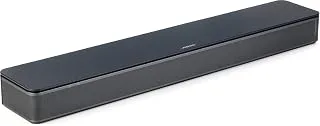
3. Bose TV Speaker — Best for dialogue
If your main complaint is mumbled dialogue, the compact Bose TV Speaker is built for exactly that: a dialogue mode that lifts voices out of the mix, in a bar small enough for any TV stand. It connects over the included optical cable and just works. The catch: No separate subwoofer, so deep bass is modest, and it is pricey for a 2.0 bar.
Verdict — Buy it: the pick for news, dramas and apartments where clarity beats boom.
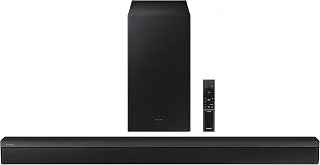
4. Samsung HW-B450 — Best budget 2.1
The HW-B450 undercuts most 2.1 systems while still bundling a wireless subwoofer, Game Mode and Adaptive Sound Lite. It is the cheapest way here to get a soundbar-plus-sub combo, and the optical input makes it a painless match for older Samsung and other-brand TVs. The catch: Build and app polish trail the Sony and Polk, and there is no Atmos.
Verdict — Buy it: the value pick if you want a sub without spending much.
5. Sony HT-S100F — Best cheapest / desktop
The HT-S100F is the simplest, cheapest real upgrade over TV speakers: a single 2.0 bar with a bass-reflex design, Bluetooth and an optical input. It is ideal for a bedroom, dorm or desk where a subwoofer would be overkill, and nearly 9,000 ratings back it up. The catch: No subwoofer and only stereo, so it is an upgrade in clarity more than scale.
Verdict — Buy it: the pick when you want better sound for the least money.

How to choose a soundbar with optical input
Three questions decide it. Do you want bass? If yes, choose a 2.1 system with a wireless subwoofer — the Polk, Sony HT-S400 or Samsung — over a single 2.0 bar like the Bose or Sony HT-S100F. Is dialogue your real problem? A dedicated voice mode (Polk’s VoiceAdjust, Bose’s dialogue mode) helps more than raw power. How big is the room? A compact 2.0 bar is plenty for a bedroom or desk; a living room wants the sub.
One thing optical does not change is the format ceiling: stereo and Dolby Digital 5.1 yes, Dolby Atmos no. If Atmos matters to you, you need a bar with HDMI eARC instead — see our soundbars with wireless rear speakers for true surround, and our best soundbar brands guide for the wider picture. For a specific TV match, our Westinghouse TV soundbar guide walks through the same optical-vs-ARC decision. And if you are building a bigger system, the home audio hub and our receiver guide are the next step.
Soundbar optical input FAQ
Is optical or HDMI ARC better for a soundbar?
HDMI ARC is more capable — it carries higher-bandwidth formats and passes TV-remote volume control — but optical is more universal and avoids HDCP and ground-loop issues. For stereo and Dolby Digital 5.1, the two sound identical. Use optical when your TV lacks ARC or ARC misbehaves.
Does optical support Dolby Atmos?
No. An optical (Toslink) connection carries stereo PCM and compressed 5.1 (Dolby Digital, DTS) but not Dolby Atmos or DTS:HD. Those object-based and lossless formats require HDMI eARC. If you do not have Atmos content, optical loses you nothing.
Do these soundbars come with an optical cable?
Yes. Every soundbar on this list ships with an optical cable in the box, so you can connect to the TV out of the box without buying anything extra.
Will an optical soundbar work with any TV?
Almost any TV made in the last 15 years has an optical (digital audio out) port, so yes. Set the TV’s audio output to PCM or Dolby Digital in its sound menu, and you are done.
Can I control volume with my TV remote over optical?
Not directly — optical does not pass remote commands, so you use the soundbar remote (or program your TV/universal remote to the bar). If single-remote control matters, choose HDMI ARC instead.
n