Updated July 2026 · Research-led guide; links checked July 2026.
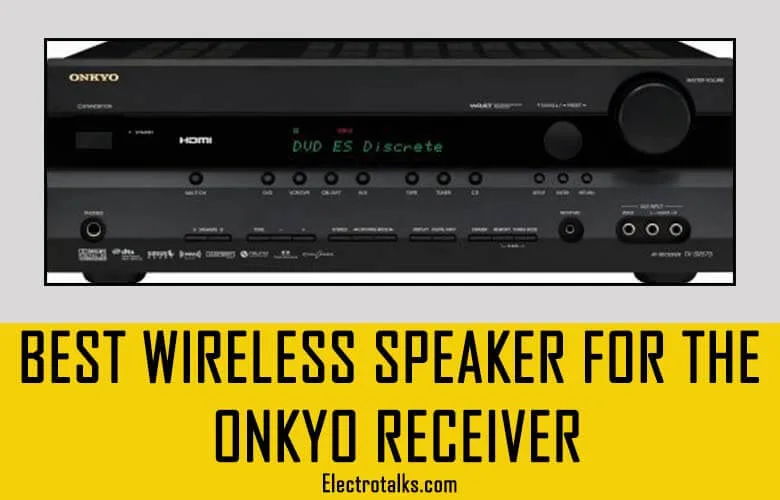
Time for the honesty most “wireless speakers for Onkyo receiver” round-ups skip: an AV receiver is a wired amplifier. It has no radio for talking to wireless speakers, and no list of “compatible wireless speakers” exists — because that is not how receivers work. What actually exists are three workarounds, each with real trade-offs. Pick your route first; the shopping list falls out of the route.
Short answer: newer Onkyos (TX-NR5100 era onward) can transmit Bluetooth out to any BT speaker or headphones — check your model’s manual first, it may already do this for free. For a second room, use the Zone 2 line-out into powered speakers. And if what you really want is wireless surround sound, the honest answer is that a soundbar system does that job better than a receiver retrofit.
The three real routes
| Route | What you need | Good for | The catch |
|---|---|---|---|
| 1. Bluetooth transmit | A newer Onkyo with BT output — or a $30 BT transmitter on Zone 2/pre-out | Kitchen speaker, headphones, patio | Bluetooth lag makes it wrong for video unless both ends support aptX Low Latency |
| 2. Zone 2 → powered speakers | Powered speakers with line-in, one cable run to them | Music in a second room, office | The speakers still need wall power — “wireless” never means power-less |
| 3. Wireless surround retrofit | A wireless speaker kit (transmitter + powered receiver) on the surround pre-outs | Rear speakers without cable runs | Needs pre-outs, adds cost and boxes; a soundbar system is usually cleaner |
Route 1: Bluetooth out of the receiver
Recent Onkyo models can pair outbound to Bluetooth speakers and headphones — the feature hides in the manual under Bluetooth transmitter mode. If your model predates it, a small Bluetooth transmitter plugged into the Zone 2 or headphone output does the same trick for about $30. The physics warning stands for both: standard Bluetooth adds ~100–200 ms of delay, which is fine for music and lip-sync poison for movies. For TV listening, insist on aptX Low Latency at both ends.
Route 2: Zone 2 into powered speakers
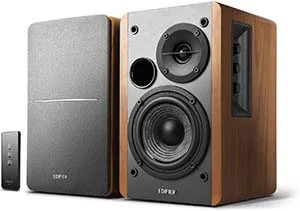
The most reliable “wireless-ish” second room: run the receiver’s Zone 2 line-out to a pair of powered speakers, and the only wires are that one interconnect and the speakers’ power cords. The long-standing budget pick here is the Edifier R1280T — built-in amplification, real wood cabinets, remote volume, line-level inputs that a Zone 2 output drives happily.
Route 3: when the goal is wireless surround
Here is the concede-and-pivot: if the actual mission is rear speakers without cable runs across the living room, a receiver is fighting you. Wireless rear kits exist (transmitter on the pre-outs, powered receiver at each rear speaker) but add boxes, cost and failure points. A soundbar system with true wireless rears — like the JBL Bar 5.1 class — ships with the wireless plumbing engineered in, and replaces the receiver entirely for a TV-first room. Our wireless-rear soundbar guide covers that path properly.
And the final concession, because it is true: wires still win where you can run them — zero latency, zero pairing, zero power bricks behind the couch. A pair of wired bookshelf rears like the Polk T15 costs less than any wireless workaround and never drops out. If the cable run is possible, it is the better system.
Verdict, per situation
Music in another room: Zone 2 + Edifier R1280T — done, reliably, cheaply. Casual kitchen/patio audio: Bluetooth transmit (built-in on newer Onkyos, $30 transmitter on older ones). Wireless surround for movies: be honest with yourself and price a soundbar system with wireless rears against the retrofit. Wires possible? Run them — passive rears beat every workaround.
Onkyo wireless FAQ
Can an Onkyo receiver connect directly to Bluetooth speakers?
Newer models can – Onkyo added Bluetooth transmitter mode in recent generations (TX-NR5100 era onward), letting the receiver pair outbound to BT speakers and headphones. Check your specific model’s manual; older receivers need an external Bluetooth transmitter on an output.
Why is there lip-sync delay on my Bluetooth speaker?
Standard Bluetooth buffers roughly 100-200 ms, which the eye notices against video. For TV audio you need aptX Low Latency (or a wired path); for music the delay is irrelevant.
Can I use Sonos speakers with an Onkyo receiver?
Indirectly – a Sonos Port (or similar streamer with line-in) on the receiver’s Zone 2 output brings receiver audio into the Sonos system. It works, but it is astreaming-ecosystem bridge, not a low-latency surround solution.
Do wireless rear speaker kits work with receivers?
Yes, if your receiver has pre-outs: a transmitter takes the surround pre-out signal and powered receiver units drive the rear speakers. Budget for the kit plus powered speakers, and remember every “wireless” speaker still needs wall power.